म्यूजिक कंपोजिशन सीखें! यहाँ जानें Noteflight के फ्री और प्रीमियम फीचर्स, और इसे चलाने के लिए बेस्ट MIDI कीबोर्ड्स की जानकारी। Amazon India के टॉप डील्स के साथ अपनी म्यूजिकल जर्नी अभी शुरू करें!
Noteflight का Complete Hindi Guide पढ़ें। जानें Online Sheet Music Creation, Music Notation, Premium Features, Pricing, MIDI, Collaboration और Noteflight Learn।
अगर आप Music Composition, Sheet Music Writing या Musical Notation सीखना चाहते हैं, तो आपको ऐसे software की जरूरत हो सकती है जिसकी मदद से आप computer पर आसानी से संगीत लिख सकें। Noteflight ऐसा ही एक online music notation platform है।
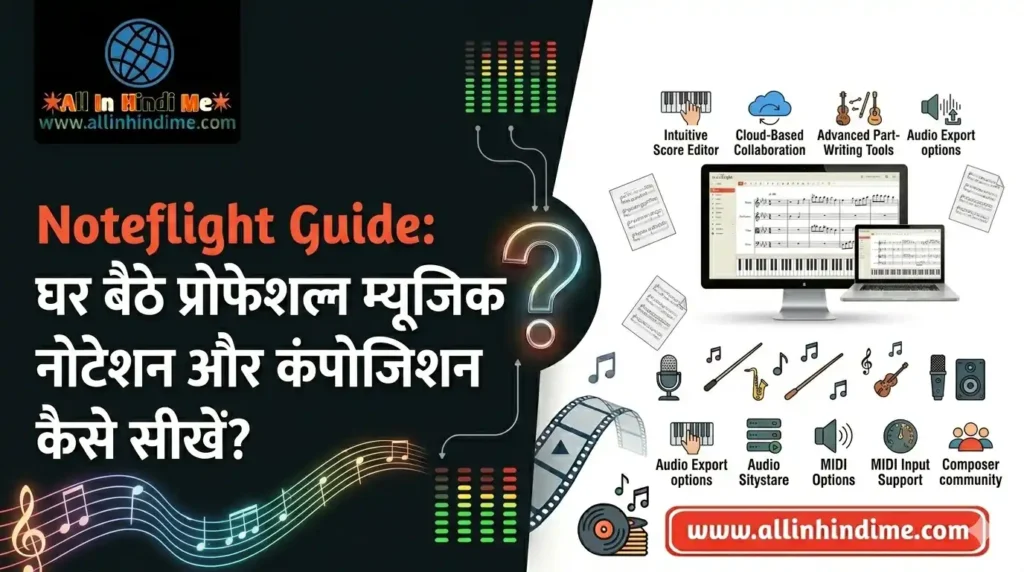
Noteflight की मदद से आप musical notes लिख सकते हैं, sheet music तैयार कर सकते हैं, compositions को play करके सुन सकते हैं और दूसरे musicians के साथ share कर सकते हैं। यह students, music teachers, composers और musicians के लिए उपयोगी है।
इसकी खास बात यह है कि आपको सामान्यतः कोई भारी desktop application install करने की जरूरत नहीं होती। आप supported web browser के माध्यम से अपने account में sign in करके music composition का काम कर सकते हैं।
Noteflight में Basic, Premium और Learn जैसे विकल्प उपलब्ध हैं। इनकी सुविधाएं और कीमतें अलग-अलग हैं।
इस Complete Guide में हम जानेंगे कि Noteflight क्या है, इसमें कौन-कौन से features मिलते हैं, Noteflight Premium की कीमत कितनी है, Noteflight Learn किसके लिए है और क्या यह beginners तथा professional composers के लिए सही विकल्प है।
Noteflight एक cloud-based music notation software है। इसकी मदद से आप sheet music लिख सकते हैं, musical scores edit कर सकते हैं, playback सुन सकते हैं और compositions share कर सकते हैं। Individual musicians के लिए Premium और schools तथा teachers के लिए Noteflight Learn उपयोगी विकल्प हैं।
Table of Contents
Noteflight क्या है?
Noteflight एक online music notation editor है, जिसका उपयोग musical compositions और sheet music तैयार करने के लिए किया जाता है।
यह traditional music notation को digital format में लिखने और edit करने की सुविधा देता है।
इसमें आप अलग-अलग instruments के लिए musical notes, rhythms, chords और अन्य notation elements जोड़ सकते हैं।
Noteflight का इस्तेमाल इन कामों के लिए किया जा सकता है:
Piano और keyboard sheet music लिखना।
Guitar notation और tablature तैयार करना।
Orchestra और ensemble scores बनाना।
Music theory exercises तैयार करना।
Students के लिए music assignments बनाना।
Musical compositions को playback करके सुनना।
दूसरे musicians के साथ scores share करना।
Music notation को edit और arrange करना।
यह खासतौर पर उन लोगों के लिए उपयोगी है जो music notation को digital तरीके से तैयार करना चाहते हैं।
Noteflight के मुख्य Features
1. Online Music Notation Editor
Noteflight का मुख्य feature इसका online music notation editor है।
इसकी मदद से आप musical staff पर notes और अन्य symbols जोड़ सकते हैं।
आप इसमें:
Notes और rests लिख सकते हैं।
Time signature सेट कर सकते हैं।
Key signature चुन सकते हैं।
Clefs का इस्तेमाल कर सकते हैं।
Chords और musical expressions जोड़ सकते हैं।
Measures और musical sections व्यवस्थित कर सकते हैं।
इसका interface browser में काम करता है, इसलिए आप supported devices पर अपने scores access कर सकते हैं।
2. Sheet Music Creation
Noteflight की मदद से आप अपने original compositions को professional-looking sheet music में बदल सकते हैं।
इसका उपयोग:
Piano sheet music।
Guitar sheet music।
Vocal arrangements।
Instrumental compositions।
Ensemble scores।
Educational music exercises।
बनाने के लिए किया जा सकता है।
यह music students और teachers के लिए काफी उपयोगी feature है।
3. Music Playback
Noteflight में लिखे गए musical notes को playback करके सुना जा सकता है।
इससे आपको यह समझने में मदद मिलती है कि आपकी composition सुनने में कैसी लगती है।
आप:
Notes की pitch जांच सकते हैं।
Rhythm सुन सकते हैं।
Melody को review कर सकते हैं।
Arrangement की गलतियां पहचान सकते हैं।
Musical ideas को सुधार सकते हैं।
Premium में 85 high-quality instruments के playback विकल्प दिए गए हैं।
4. Multiple Instruments Support
Noteflight में अलग-अलग musical instruments के लिए compositions तैयार की जा सकती हैं।
उदाहरण:
Piano
Guitar
Violin
Flute
Trumpet
Drums
Voice
Other orchestral instruments
Instrument templates और notation options के माध्यम से आप अपने composition workflow को व्यवस्थित कर सकते हैं।
5. MIDI Support
Noteflight में MIDI instruments के साथ काम करने की सुविधा भी उपलब्ध है।
Premium features में MIDI instruments से notation transcription का विकल्प दिया गया है।
इसका मतलब है कि compatible MIDI input से musical notes को notation में बदलने के workflow में मदद मिल सकती है।
यदि आपके पास MIDI keyboard है, तो यह सुविधा music composition के लिए उपयोगी हो सकती है।
इसलिए यह pricing individual user की नहीं, educational group subscription की शुरुआती कीमत है। Add-ons और additional users के लिए अलग लागत हो सकती है।
भारत में कीमत कितनी होगी?
Noteflight की official website पर दिखाई गई कीमतें USD में हैं। भारत में final payment राशि exchange rate, applicable taxes और payment method के कारण अलग हो सकती है।
खरीदने से पहले official pricing page पर current price जरूर जांचें।
Noteflight एक cloud-based web application है। इसलिए इसकी जरूरतें सामान्य desktop music software से अलग होती हैं।
आपको मुख्य रूप से इन चीजों की आवश्यकता होगी:
Component
Recommendation
Computer
Modern Windows PC या Mac
Browser
Updated Chrome, Edge, Firefox या supported browser
Internet
Stable Broadband Connection
RAM
8GB recommended for comfortable browser use
Display
1280 × 720 या बेहतर
Audio
Built-in speakers या headphones
MIDI Device
Optional compatible MIDI keyboard
ये practical recommendations हैं, कोई official minimum hardware specification नहीं।
क्या Noteflight Windows और Mac दोनों में चलता है?
हां। Noteflight browser-based platform है, इसलिए compatible browser वाले Windows और Mac computers पर इस्तेमाल किया जा सकता है।
क्या इसे Mobile पर इस्तेमाल कर सकते हैं?
Noteflight की official website supported devices पर access की सुविधा बताती है। Mobile browser पर उपयोग संभव हो सकता है, लेकिन बड़े और complex scores edit करने के लिए computer या tablet ज्यादा सुविधाजनक रहेगा।
क्या Noteflight Offline चलता है?
Noteflight cloud-based platform है। इसलिए इसके मुख्य editing और synchronization workflow के लिए internet connection की आवश्यकता होती है।
इसे पूर्ण offline desktop notation software का विकल्प न समझें।
Noteflight कैसे इस्तेमाल करें?
यदि आप पहली बार Noteflight इस्तेमाल कर रहे हैं, तो इन steps से शुरुआत कर सकते हैं।
Sign Up विकल्प से अपना account बनाएं। उपलब्ध registration methods में से उपयुक्त विकल्प चुनें।
Step 3: नया Score बनाएं
Login करने के बाद नया score या composition शुरू करें।
Step 4: Instrument चुनें
अपने composition के अनुसार piano, guitar, voice या अन्य instrument चुनें।
Step 5: Musical Notes जोड़ें
Staff पर notes, rests, key signature और time signature जोड़कर composition तैयार करें।
Step 6: Playback सुनें
अपनी composition को play करके सुनें। इससे आप pitch, rhythm और arrangement को जांच सकते हैं।
Step 7: Save और Share करें
Score को save करें और जरूरत के अनुसार public या private sharing options चुनें।
Noteflight से Sheet Music कैसे तैयार करें?
Noteflight में sheet music बनाने का सामान्य workflow इस प्रकार है:
नया score बनाएं।
Instrument और staff configuration चुनें।
Time signature और key signature सेट करें।
Musical notes और rests जोड़ें।
Chords और lyrics जरूरत के अनुसार डालें।
Playback करके composition जांचें।
Formatting और layout सुधारें।
उपलब्ध export या print विकल्प से final sheet तैयार करें।
यदि आप professional sheet music बनाना चाहते हैं, तो final output को print करने से पहले page layout और notation spacing जरूर जांचें।
Noteflight के साथ कौन-सी Accessories खरीदें?
Noteflight browser में चलता है, इसलिए इसके लिए महंगे hardware की जरूरत नहीं होती। लेकिन music composition और practice के लिए कुछ accessories उपयोगी हो सकती हैं।
1. MIDI Keyboard Controller
MIDI keyboard से musical notes और melodies को input करने में मदद मिलती है।
यदि आप नियमित composition करते हैं, तो यह उपयोगी accessory हो सकती है।
यदि आप music notation software चुन रहे हैं, तो Noteflight के साथ दूसरे विकल्पों की तुलना करना भी उपयोगी है।
Software
Platform
Best For
Noteflight
Web Browser
Online music notation और collaboration
MuseScore Studio
Desktop
Free music notation और composition
Sibelius
Desktop
Professional notation और engraving
Dorico
Desktop
Advanced music notation और composition
Flat
Web-based
Online collaborative notation
Noteflight vs MuseScore Studio
Noteflight का मुख्य फायदा browser-based collaboration है। MuseScore Studio उन लोगों के लिए अच्छा विकल्प हो सकता है जिन्हें desktop-based music notation software चाहिए।
Noteflight vs Sibelius
Sibelius professional music notation और engraving के लिए एक advanced tool है। Noteflight आसान online collaboration और educational use के लिए उपयोगी हो सकता है।
Noteflight vs Dorico
Dorico advanced notation, orchestration और professional composition workflows के लिए बनाया गया है। Noteflight browser-based और comparatively simple workflow प्रदान करता है।
Noteflight किसके लिए बेहतर है?
User Type
Recommendation
Music Students
बहुत अच्छा विकल्प
Music Teachers
Noteflight Learn उपयोगी
Beginner Composers
अच्छा विकल्प
Songwriters
अच्छा विकल्प
Music Arrangers
Premium उपयोगी
Schools
Noteflight Learn
Professional Orchestrators
Dorico और Sibelius भी देखें
Electronic Music Producers
DAW के साथ उपयोग करें
यदि आप केवल musical notation बनाना चाहते हैं, तो Noteflight उपयोगी है। लेकिन अगर आप complete music production करना चाहते हैं, तो DAW की जरूरत होगी।
Noteflight एक उपयोगी online music notation platform है। इसकी मदद से आप sheet music लिख सकते हैं, compositions edit कर सकते हैं, playback सुन सकते हैं और दूसरे musicians के साथ collaborate कर सकते हैं।
यदि आप beginner हैं, तो Basic plan से शुरुआत करना अच्छा विकल्प है।
यदि आप नियमित रूप से compositions तैयार करते हैं और अधिक notation features, instruments तथा unlimited scores चाहते हैं, तो Premium पर विचार कर सकते हैं।
यदि आप music teacher हैं या school में students को music composition सिखाते हैं, तो Noteflight Learn अधिक उपयोगी हो सकता है।
हमारी Recommendation:
Beginners के लिए: Basic।
Individual composers के लिए: Premium।
Music teachers और schools के लिए: Learn।
Professional orchestration के लिए: Dorico या Sibelius की भी तुलना करें।
Noteflight एक cloud-based music notation software है, जिसका उपयोग sheet music और musical compositions बनाने, edit करने और share करने के लिए किया जाता है।
Noteflight Learn teachers, schools और students के लिए education-focused platform है। इसमें assignments, student groups और classroom integration जैसी सुविधाएं मिलती हैं।
Online collaboration और browser-based composition के लिए Noteflight उपयोगी है। Desktop music notation और offline workflow के लिए MuseScore Studio एक अच्छा विकल्प हो सकता है।
Affiliate Disclosure: इस लेख में Amazon Affiliate Links शामिल हैं। यदि आप इन Links के माध्यम से कोई Product खरीदते हैं, तो AllInHindiMe.com को बिना किसी अतिरिक्त लागत के कमीशन मिल सकता है। इससे हमारी वेबसाइट को सहयोग मिलता है। हम पाठकों को उपयोगी और प्रासंगिक Products की जानकारी देने का प्रयास करते हैं।
-:नोट:-
ऐसे ही सभी जानकारी हम सबसे पहले अपने इस वेबसाइट https://allinhindime.com के माध्यम से देते हैं तो आप हमारे वेबसाइट को फॉलो करना ना भूलें ।
अगर यह आर्टिकल पसंद आया है तो इसे Like और share जरूर करें ।